Why 16.7
The Atari ST has no sprites and, before the STE, no hardware scrolling. Everything a game shows, the 68000 at 8 MHz draws itself into the screen's memory: the scenery moving down, the ship, every enemy, every bullet, the explosions and the status bar. Xenon 2 draws into one screen while the ST shows the other, and swaps them when the picture is finished, never sooner than three vertical blanks after the last swap. A PAL ST has fifty vertical blanks a second, so the game runs at 16.7 frames a second. Its music runs on its own, fifty times a second, whatever the frame rate.
It was a remarkable game at that pace. The question this project asks is what it would have looked like on an ST that had a graphics chip.
For developers
The game's rules move in steps of one original frame. scroll.c holds the
original's scroll rule as it is: the world line, the set speed, the doubling after 35 frames off
it, the lowest line, the 16-line reverse window, the backdrop's half step on odd frames.
scroll_pace() turns vertical blanks into steps with a phase in 1/256ths of a VBL,
so a step can be any number of VBLs, not only three.
A graphics chip in the cartridge slot
The SidecarTridge Multi-device sits in the ST's cartridge slot. Inside it is a Raspberry Pi RP2040: two Arm Cortex-M0+ cores, here at 225 MHz, 264 KB of RAM and 2 MB of flash. To the ST it looks like a cartridge ROM: 128 KB of memory the ST can read at any moment, which the RP2040 serves by itself, without its processor's help.
This port treats the cartridge as the graphics chip the ST never had. The RP2040 runs the whole game and draws every picture. The ST only shows them, plays the sound and reads the joystick. Each picture goes through four steps, every vertical blank:
-
RP2040
Draw
The game draws a 320 × 200 picture into the RP2040's RAM, one byte per pixel: easy and fast to draw into.
-
RP2040, both cores
Convert
The ST's screen stores each pixel's colour as four bits spread across four planes. Both cores convert half the picture each, in about 1 ms.
-
Cartridge window
Publish
The 32,000 bytes go into the cartridge's memory, ready for the ST to copy.
-
Atari ST
Copy and show
At the vertical blank the ST copies the new picture to the screen it is not showing, then shows it. A screen is never shown half written.
The ST's copy is the expensive part: 17.65 ms on a Mega ST, measured, exactly what the 68000's timing tables predict for the fastest copy it can do. The cartridge adds no wait states. On an STE or a Mega STE the blitter does the copy instead.
The program the ST runs comes from the cartridge too, and starts before the desktop. It works the same on an ST, STE, Mega ST or Mega STE with a colour monitor; in high resolution it returns to the desktop with a message.
For developers
The two windows. The cartridge's 128 KB are $FA0000, which holds the ST's
program (16 KB at most) and everything the two sides share, and $FB0000, which the
ST only reads to send signals (see the read-only port). The program starts
before the AUTO folder, copies a little of itself into RAM, and takes over the vertical blank,
the keyboard and the sound chip. Its two screen pages sit at $70000 and
$78000, within the first 512 KB. It asks TOS whether there is a blitter, and
checks the machine's type for the DMA sound chip.
Chunky to planar. Four pixels sit in one 32-bit word, a byte each with the colour in its low nibble. One multiply gathers the four bits of a plane into a nibble:
/* q: four pixels, one byte each. Plane k's four bits, in order. */
uint32_t nibble = (((q >> k) & 0x01010101u) * 0x80402010u) >> 28;
The worker, fb_c2p_half in fb_chunked_asm.S, runs that over a
range of the picture with the two constants in registers and no lookup table. Core 0 converts
the top 100 rows while core 1 converts the bottom 100, handed the job through the inter-core
FIFO (fb_core1_dispatch / fb_core1_wait, the only way the app uses
core 1).
The copy, backwards. The ST's loop is 666 pairs of:
movem.l (a6)+,d0-d7/a1-a4    ; 48 bytes from the cartridge
movem.l d0-d7/a1-a4,-(a5)    ; to the screen page, walking down
The pre-decrement store is 4 cycles a pass faster than an indexed one, but it lays each
chunk at a lower address than the one before. So the RP2040 publishes the picture with its
48-byte chunks in reverse order (fb_chunk_reverse_copy48), and each lands where it
belongs. a0 and a7 stay out of the register list: a0
is the sound interrupt's cursor and a7 keeps the stack valid so interrupts can
fire in the middle of the copy.
No tearing. The RP2040 bumps a frame counter as the last write of each publish. The ST
copies only when the counter's low word has changed since its last copy (one
move.w: a longword arrives as two reads with its halves swapped), then flips and
acknowledges by reading $FB84xx. The RP2040 waits for that acknowledgement before
it writes the next picture. A game slower than a frame drops frames instead of tearing them.
Twenty milliseconds
Everything the ST does has to fit between two vertical blanks: 20 ms. The project measures it with a stopwatch built from one of the ST's own timers, which marks the points of each frame on a single timeline that the RP2040 reads.
Mega ST 68000 copy, sound through the YM2149
Mega STE blitter copy, sound through the DMA chip
On a Mega ST that leaves about a quarter of a millisecond. Anything more the ST does comes out of it: every byte from the keyboard is an interrupt of 30 to 40 µs. That is why the ST does nothing of the game at all, and why its whole program fits in 16 KB. When a copy does run late, that picture simply waits for the next vertical blank: the frame rate dips, the sound never breaks. The joysticks send a byte only when they move, so play stays at 50.
For developers
The stopwatch is TIME_STUDY = 1 in userfw.s (off in releases; it
costs about 40 µs a VBL). MFP Timer-A runs free at /10, 4.07 µs a tick; an interrupt counts its
wraps. The VBL and four points of the loop (the wake, the copy's start and end, the loop's end)
each report the ticks' low 16 bits by reading $FB8Bxx (the point) and
$FB8Cxx / $FB8Fxx (the ticks), so every duration is a difference on
one timeline, even across a VBL. With a Debug Probe, tools/dev/swd.py stopwatch
reads the points and the slack histogram (fbSlackHist) from the running RP2040.
The sample interrupt is measured at about 152 cycles, not the 112 of the tables: the MFP's
acknowledge and the sound chip's accesses add the rest. The blitter copies in pieces of 40
chunks, about 1 ms each, so the keyboard's interrupts run between them. Who copies is a word the
RP2040 sets (CART_BLIT_MODE_OFFSET): by default the blitter only when the sound
goes through the DMA chip, since on a Mega ST fitted with a blitter it delays the YM's sample
interrupts and roughens the sound; or always the blitter, or always the 68000, with the chunks
per piece in its high byte.
A read-only port that talks back
A cartridge port only lets the ST read. It has no way to write to the cartridge, so the ST talks to the RP2040 by reading: it reads an address in a second window, and the address is the message. That is how the RP2040 learns of every key and joystick move, where the sound is playing, when a picture has been copied, and that the ST has just booted.
The other direction is easy: the RP2040 writes into the cartridge's memory and the ST reads it. That is how the ST learns to leave. Esc on the title takes you back to the desktop, with everything the program took from TOS put back. X on the title takes you back to the Multi-device's menu without switching off: the RP2040 restarts into the menu, and the ST waits a couple of seconds and resets itself. The ST's reset button works at any time.
For developers
| Read at | Means |
|---|---|
$FB82xx | a byte from the keyboard processor |
$FB83xx | the keyboard bytes read so far (low byte), every VBL |
$FB84xx | the copy is done |
$FB8500 | the keyboard ACIA overran |
$FB86xx | the YM sound slice playing from this VBL |
$FB87xx | the keyboard commands of generation xx were sent |
$FB88xx | hello: the machine |
$FB89xx, $FB8Axx | the TOS version's high and low byte |
$FB8Bxx, $FB8Cxx, $FB8Fxx | the stopwatch's point and ticks (timing builds) |
$FB8Dxx | where the DMA sound chip plays, in 16 bytes |
$FB8Exx | the machine's features (a blitter) |
commemul.c runs a PIO program and a DMA chain that store every address read in
the window into a 4 KB ring, with no interrupt per read; the main loop drains it with
commemul_poll(), and a reader that falls a whole ring behind is counted and
resynchronised. The ST reads the keyboard ACIA from its receive interrupt, one byte an
interrupt, and forwards it with a read; polling it from inside the copy left gaps longer than a
byte time and lost bytes.
The keyboard processor is set to report both joysticks as events, with the mouse off
($12 $14 $16). The decoder (ikbd_demux.c, plain C, host-tested) watches
for every sign of a lost byte: an overrun, a full ring, the ST's byte count not matching what
arrived, a packet open at its second VBL, an invalid joystick byte, a packet never asked for.
After one it holds back presses and joystick data until a VBL in which the ST read no byte, where
the stream is certainly back in step; releases always pass, so no key stays down. The RP2040 owns
the keyboard processor's commands too: a block of generation, length and up to 12 bytes that the
ST sends a byte per VBL, only when the ACIA can take one.
The exits. The command word at $FA4000 is a level, not a queue: the ST
samples it once a frame, the RP2040 clears it only on the next boot's hello. For X, the RP2040
saves Booster as the next app, writes CMD_RESET and restarts; the ST masks its
interrupts (their handlers live in the cartridge, which stops answering), copies a small routine
to $77F00, the unused end of a screen page, and runs it from there: a wait, then a
cold reset. The RP2040 can also refuse a boot with a status word and a message the ST prints
before returning to the desktop.
Taking the game apart
Nothing of the game is in this project. The firmware doesn't contain a single picture, sound or
table from it. The player puts their own copy of the two original disks on the cartridge's
microSD card, as Pasti .stx images of the Image Works release, and the cartridge
converts it.
To do that, the cartridge reads the disks the way the original's loader does: it undoes the boot program's encryption and the game's, follows the levels' own sector stream, and unpacks each level. The game's code was studied in the Hatari emulator, with scripts that run the original unattended, press its keys, and record its memory, its disk accesses and its screens. Those tools are in the repository too. What they produce never is.
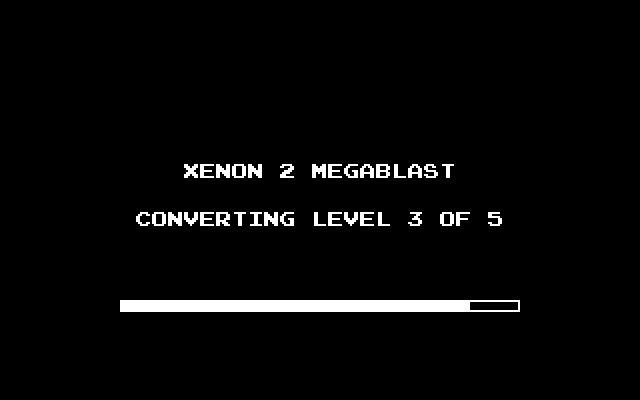
The first start converts everything into a SET folder beside the disk images,
about 5 MB in all, with its progress on the screen. Later starts only check it. If anything in it
is missing or damaged the cartridge makes it again; deleting the folder starts over. The disks
are recognised by their contents: the Kixx re-release and other dumps are refused with a message
and a QR code to the instructions.
For developers
| File | Bytes | What |
|---|---|---|
BOOT.X2 | 163,840 | the boot program, decrypted |
GAME.X2 | 235,520 | the game, decrypted |
TITLE.X2 | 32,032 | the title screen and its palette |
LEVEL1.X2 … 5 | 124,060 – 183,880 | each level, unpacked |
SET.X2M | text | the manifest: the converter's version, each file's size and CRC-32, written last |
LEVEL1.IMG … 5 | 250 – 390 KB | each level converted for play, checked by its own header |
The converter is plain C with no SDK: x2game.c (the loader's two decryption
layers and the game image's chained XOR passes, the level stream's virtual sectors, the CRC-32s
of the known release in x2_known), stx.c (Pasti images, sector by
sector on demand), lzhuf.c (LHarc -lh1-, about 8.6 KB of state, the
caller's) and crc32.c, streaming through the hooks in x2io.h. The same
sources build tools/x2conv on a computer, which makes the same bytes. Host tests run
the C core under AddressSanitizer and UBSan against the Python reference
(tools/re/x2disk.py) on synthetic disks; no test uses a byte of the game.
The study tools are in tools/re. hatari_run.py runs the original in
Hatari headless, one folder a run, driven by expectation files that wait on Hatari's output (an
FDC trace line, a breakpoint), press keys and fire, swap disks and run debugger command files;
fdc_map.py turns an FDC trace into a load map; render_level.py draws a
playfield exactly as the original does, the reference the RP2040's renderer is checked
against.
Routine by routine
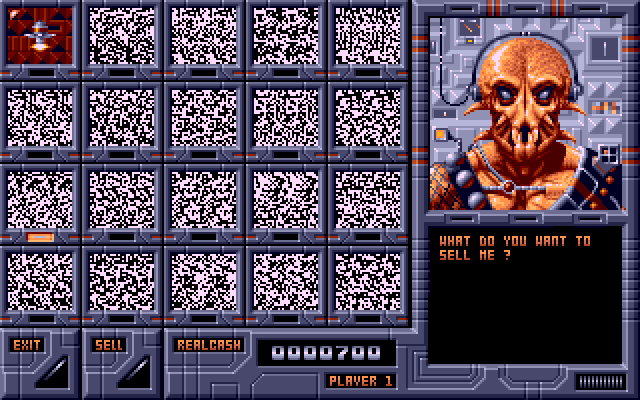
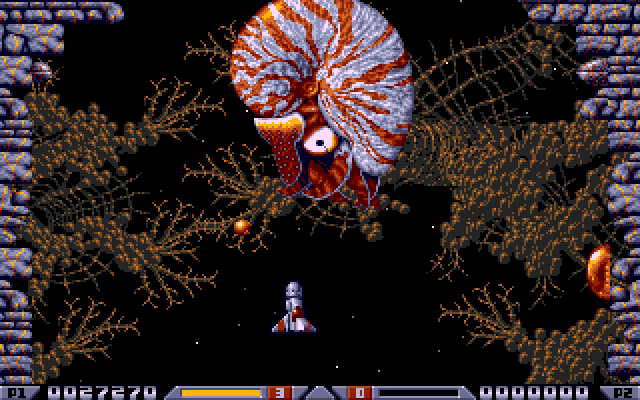
There is no 68000 emulator in the cartridge. Every part of the original was read, understood and written again in C: the scroll, the ship and its weapons, the paths and the fire of every enemy, each level's own code and bosses, the shop, the attract screens, the sound driver. The C reads only the game's data from the converted disks: its levels, pictures, songs and tables.
Each routine was checked against the original running in Hatari:
- The enemies' positions on level 1 match the original's frame for frame.
- The scenery is drawn pixel for pixel as the original draws it.
- Every one of the sound chip writes in 87,032 calls of the music driver is the original's.
- The screens outside play, the shop included, keep the original's pace.
What differs from the original is on purpose: the high-score table is kept on the cartridge (the original forgets it when the ST is switched off), there is an options screen, Esc and X leave from the title, and the frame rate. The waves, the bosses, the shop's prices and offers, Crispin's advice and the two players' turns follow the original's rules.
For developers
Size. The whole game is about 347 KB of Thumb code. Drawing the 192-line playfield from
the level's map and the store (world.c) takes about 1.5 ms of core 0 a frame.
The objects. enemies.c is the original's object system: a pool of 96
objects on the heap, the wave and scenery tables fired by the world line, the spawner (trails,
rows, chains, groups), the path interpreter, fire, hits, explosions, cash, capsules, tokens and
restart points. A dead object is freed when the update walk reaches it, as the original frees it,
so the objects behind it still see it that frame. Each level's own code sits behind a table of
hooks (enemies_level.h: its scenery kinds, its every-frame code, its objects'
updates, hits and drawing), one file a level, level1.c to level5.c.
The screens. The original's screens wait for frames in the middle of their routines.
screen.c turns each into a coroutine (pt_t) stepped a VBL at a time,
on a model of the ST's clock: each drawing step costs what the original's takes in 68000 cycles
(fitted to Hatari's timings), a frame is at least 3 VBLs, and the swap comes at the picture's
end. That is how the shop and the attract keep the original's pace at any frame rate.
The rule. No 68000 interpreter, anywhere on the RP2040. An interpreter of the original's code may serve on a computer as a reference while porting, never in the firmware: the firmware reads only the game's data, and every routine is C that can be read, tested and timed.
Tests. make -C tests/host test builds firmware units unchanged with the
host compiler under the address and undefined-behaviour sanitizers, with core 1 as a thread:
the scroll, the ship, the weapons, the enemies, the world's renderer against a planar reference,
the sound driver, the shop, the screens, the options, the blits' clipping, the chunk layout
through a model of the ST's copy, the keyboard decoder under lost bytes, the audio against a
simulated ST and STE. They run on synthetic data, in a few seconds, on every pull request.
Three times the frames
Running the original's rules three times as often would make it a different game: three times as fast. So the frame rate and the game's speed are separate choices.
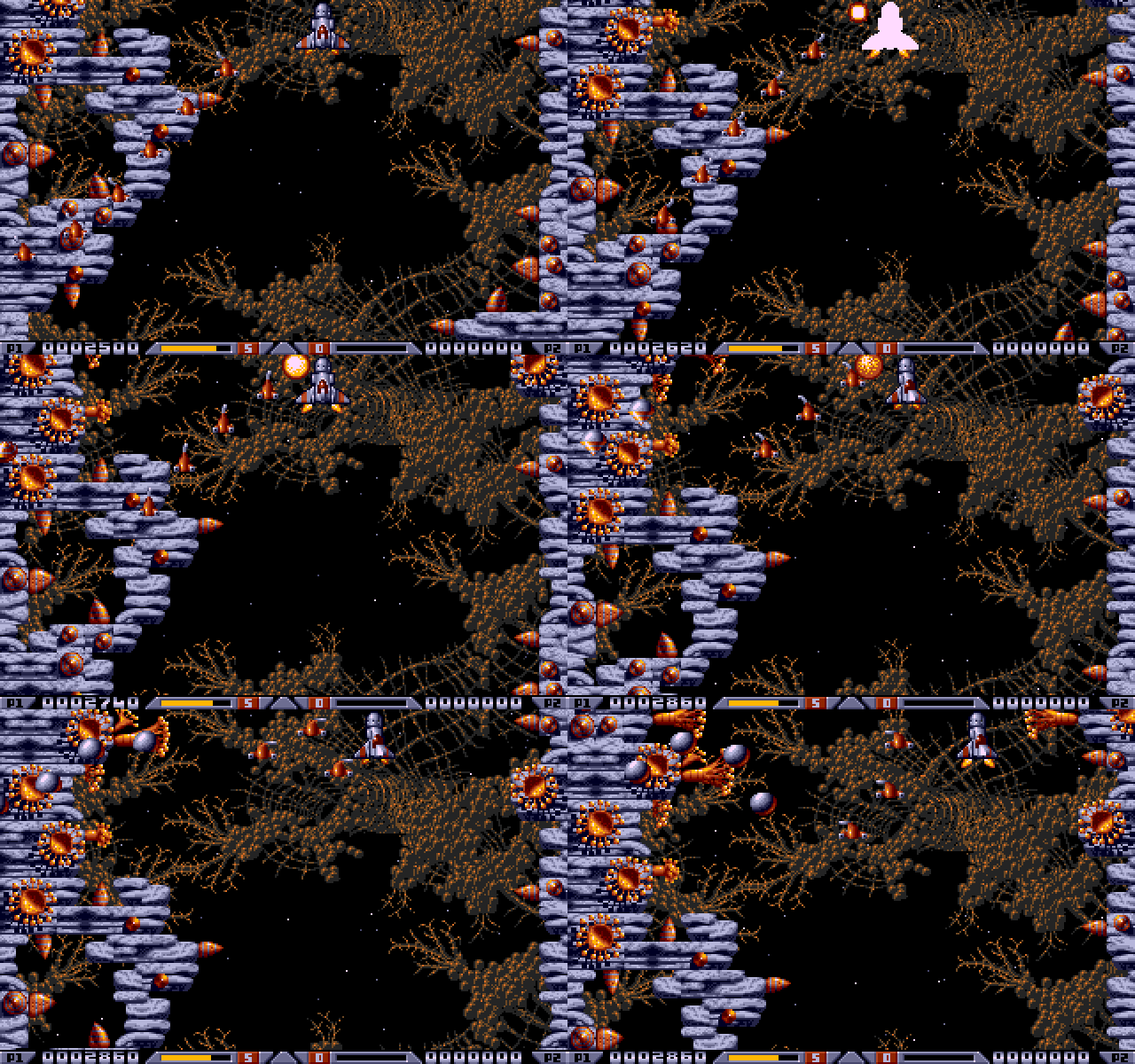
At 50 frames a second the world always scrolls a line every vertical blank. The ship, the shots and the enemies can then keep the original's speed: the game's logic still moves them every third vertical blank, and every picture in between draws each one between where it was and where it is. What rides on the scenery, a wall gun or a boss, moves with the scenery. Or they can all run three times as fast, an option the players call ×3.
1989: a new picture every third vertical blank
This port: every vertical blank, the ship at the original's speed, drawn in between
| Frame rate | Sprites | The world | Ship, shots, enemies |
|---|---|---|---|
| 17 | any | moves every third vertical blank | move every third vertical blank: the original |
| 50 | original | a line every vertical blank | the original's speed, drawn smoothly in between |
| 50 | ×3 | a line every vertical blank | three times as fast |
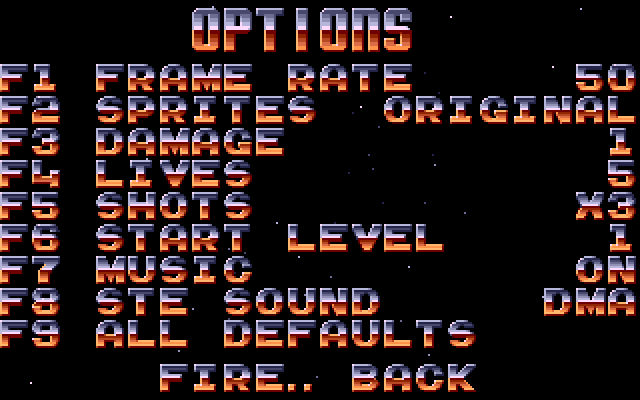
The music never speeds up. Shots ×3 makes only your weapons three times as fast, firing included, while the enemies keep their pace. Damage, lives and the start level are plain cheats. Every choice is kept on the cartridge, and F9 brings back the defaults: 50, sprites at the original's speed, a hit takes 1, 5 lives, shots ×3, level 1. At 17 with the rest at their originals, it is the 1989 game, untouched.
For developers
At 50 with the sprites at the original's speed, a step of the game runs every third VBL, and
the VBLs between run only the world (world_vbl() in play.c): the last
step's scroll again, so waves still fire as the world reaches their line. Before each step
enemies_snapshot() and weapons_snapshot() keep every object's place;
when drawing, each is pulled back by the part of its last move not yet shown:
/* the part of the last step not shown yet, in 256ths */
back = (vbls_per_step - shown) * 256 / vbls_per_step;
x -= (dx * back + 128) >> 8;      /* en_back() */
y -= (dy * back + 128) >> 8;
Three refinements make it look right. What rides the world is moved with it to the line drawn,
and its last move is taken against the world, which moves in whole lines, so a gun on a wall stays
on the wall (place() in enemies.c). Objects that keep a world line of
their own (the level 1 and 2 bosses, level 3's walls, level 4's movers: enemy_t.world)
are drawn from it. A move longer than 32 pixels for an enemy, 112 for a projectile, is a jump, a
new object or a teleport, and is drawn where it lands.
Shots ×3 runs the weapons' step three times per game step, held fire's timer included
(ship_fire_step). The frame rate lives in the options as VBLs a step in 1/256ths,
so scroll_pace() needs no special case, and the options are packed into one
setting (OPTIONS; 0 means every original value).
Where the game lives
The RP2040 has 264 KB of RAM, and the picture alone takes 96 KB of it: 64 KB to draw into, 32 KB to convert into. A level doesn't fit beside it, so the game reads its levels in place from flash.
- 384 KB of flash
- the firmware: the framework and the whole game's code
- 768 KB of flash
- the store: the level being played, the screens outside play, the title tune and the graphics every level shares
- The microSD card
- the two disk images and, made once at the first start, each level ready for the store
When a level starts, it is copied from the card into the store, in about two seconds for the largest. A level already in the store is not written again, so the flash wears very slowly. While the flash is written, the ST keeps running. The options and the high scores are kept with the Multi-device's settings.
For developers
| From | Size | Holds |
|---|---|---|
0x10000000 | 384 KB | the app's firmware, what the UF2 installs; the link fails past it |
0x10060000 | 768 KB | the store, not in the UF2: the level at 0 (400 KB), the screens at 400 KB, the tune at 512 KB, the shared graphics and the sound driver's data at 640 KB |
0x10120000 | 768 KB | Booster |
0x101E0000 | 128 KB | the apps' settings, the lookup and the global settings |
Writing flash under a running ST. The cartridge is served by PIO and DMA from a 64 KB
window in RAM, so the bus doesn't need flash. store.c erases in 64 KB blocks (about
150 ms each) and programs 4 KB sectors, each with interrupts off; core 1 is parked in a loop that
runs from RAM (never write flash while a job runs on core 1). Each section's magic is programmed
last, and checked with the CRC-32 of the file it came from, so a power cut mid-copy leaves a
section that fails its check and is made again.
Pitfalls we hit.
- Never let a DMA read the flash while the cartridge is live. An SD card write from a pointer into flash held up the DMA that answers the ST, and the ST crashed with four bombs. The level images go to the card through a 4 KB RAM buffer.
- Core 0's stack is 4 KB, with an MPU guard below it. The converter's stack plus FatFs's did not fit, so the converter writes only to flash and a second pass copies flash to the card; large locals moved to the heap.
- newlib grows the heap by a whole request its top block cannot hold, so a large allocation could fail with more than enough free. The heap is grown to its limit once at boot; every allocation is checked.
- The cartridge must answer 0.4 s after power-on, when TOS looks for it. Nothing slow may run before the image is in RAM: the first start's conversion runs later, behind a screen.
- Never read the RP2040's flash over SWD while the firmware writes it: the debugger's reads locked the chip up.
Sound
David Whittaker's music and effects come from the original's sound driver, translated to C. It runs on the RP2040 every vertical blank, as the original runs it, and the ST passes what it writes to its YM2149 sound chip. The music and effects play on the YM on every machine, as they did in 1989.
The title tune and the shop's sample are converted from the disks. On an STE or a Mega STE they play through the DMA sound chip; on an ST or a Mega ST the YM2149 plays them too, two of its channels mixed to reach about six bits of resolution. F8 in the options sends an STE's samples to the YM as well, from its next reset.
For developers
sfx.c is the driver: the effect requests (channel 2, then 1), then the tick, every
VBL, its state kept in the cartridge window at the original's addresses
(CART_SFX_WINDOW_OFFSET) so the songs' and effects' bytes are read in place. Its
register writes go into ym_ring, words of a register and a value with an end marker
written before each new word, at CART_YM_RING_OFFSET; the ST's VBL drains them into
the YM. Checked against Hatari: every write of 87,032 driver calls.
The samples go through the framework's audio path: 12,517 Hz on the DMA chip, 5,585 Hz on the
YM. On the YM, the cartridge holds four slices of a VBL each; the ST reports the slice it starts
each VBL and the RP2040, from a 4 ms timer interrupt, writes only the slices after it, from a FIFO
the main loop tops up, so the sound never tears or repeats whatever the frame rate. Each 8-bit
sample maps through a 64-entry table of channel A and B volume pairs, which reaches about 6 bits
from the YM's logarithmic volumes; Timer-B plays a pair per interrupt. On the DMA chip, the ST
copies a 4 KB mirror into a ring in its RAM at $6F000, three VBLs ahead of where the
chip plays, which it reports every VBL; byte i of the ring is byte i XOR 1 of the RP2040's buffer,
the bus's byte order.
Building it
For developers
The source is on GitHub under the GPL v3. A build needs the ARM GNU Toolchain 14.2 and atarist-toolkit-docker for the ST's side:
./build.sh pico_w release 44444444-4444-4444-8444-444444444444The firmware lands in dist/ as a UF2 and its descriptor. The last argument is the
app's identity: use the development UUID above for your own builds; the store's is in
desc/app.json. With a Raspberry Pi Debug Probe on the cartridge,
tools/dev/flash.sh builds, flashes and checks a build in one go. Builds are
reproducible: the release is dated by its commit, so a local build of a tagged commit with the
same date gives the same bytes, and its MD5 is in the store's descriptor.
make -C tests/host test runs the host tests in a few seconds.
Finding your way in the code
For developers
| Where | What |
|---|---|
target/atarist/src/userfw.s | the ST's program: the copy, the flip, the sound interrupt, the keyboard, the exits |
rp/src/include/cart_shared.h | the shared window's layout and the signal windows, checked against the ST's copy by test_layout.py |
rp/src/fb*.c, fb_chunked_asm.S | the framebuffer, the conversion, the blits, the publish |
rp/src/emul.c | the main loop |
rp/src/x2app.c | the app's screens: the conversion, the messages, the title |
rp/src/play.c | a game: the pacing, the steps, the drawing order, the two players |
rp/src/enemies.c, level1.c … level5.c | the objects, and each level's own code |
rp/src/ship.c, weapons.c, scroll.c, world.c, stars.c | the ship, its weapons, the scroll, the playfield, the stars |
rp/src/flow.c, shop.c, screen.c | the screens outside play, the shop, their clock model |
rp/src/sfx.c, ym_ring.c, audio.c | the sound driver, the register ring, the sample path |
rp/src/x2game.c, x2set.c, x2level.c, store.c | reading the disks, the set on the card, a level converted for play, the flash store |
tools/re/, tools/x2conv/, tools/dev/ | the study tools, the converter on a computer, the Debug Probe tools |
The repository's CLAUDE.md is the full reference for the framework's internals: every shared offset, every timing and every rule above, in more detail. The port is built on md-framebuffer-template, which you can start your own app from.
Credits
Xenon 2 Megablast was designed by The Bitmap Brothers, written for the Atari ST by The Assembly Line, with graphics by Mark Coleman and music and effects by David Whittaker, and published by Image Works in 1989. It belongs to its rights holders and is not part of this project: the app plays the player's own copy of the disks.
Thanks to Hatari, which every routine was checked against, and to Atarimania for preserving the disks. The port is built on SidecarTridge's md-framebuffer-template. Its source is on GitHub under the GPL v3.